

Help Centre
Media
Product media
On Product media-tab we control media related to the product. Mainly media is product images but there are other media types available as well like video or 360 images but these may need additional setup.
Each media slot represents a certain product image or video, for example first is usually the front image (used in category view etc) and second is a back view. The rest are extra images/views without any specific order.
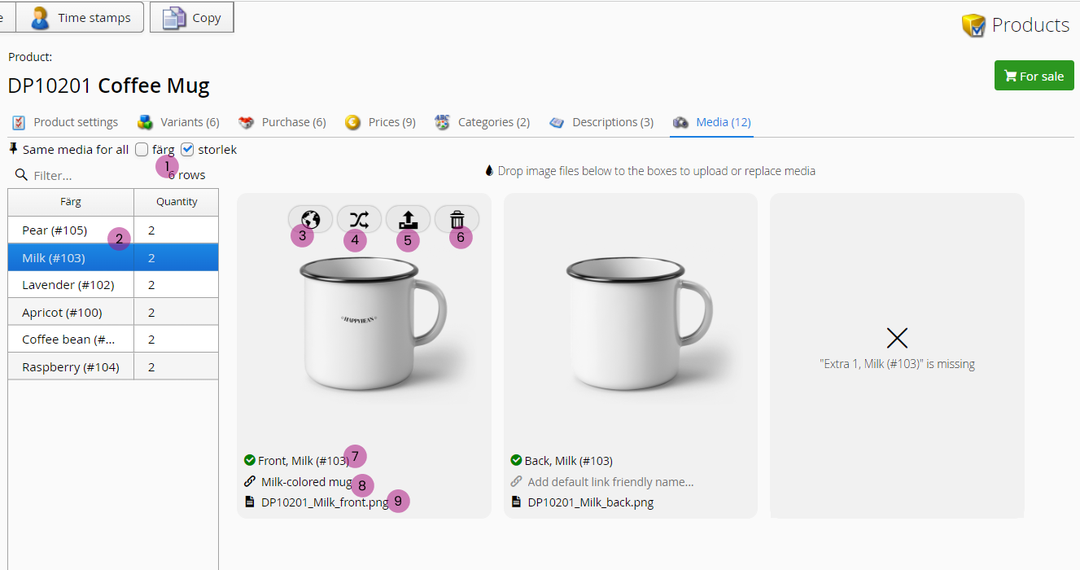
1. Same media for all colors & sizes
Us this selection to show only the products not using the same images.
2. Color & quantity
Each color variation on its own row. Click to activate the color variant you want to add/change media to.
Quantity-column displays the amount of media connected to the variant
3. Media name
Add media name and description per language. Media name changes how the product image filename is displayed in the code -> has SEO effect.
4. Replace media
Change the media to another that already exists in media library.
5. Upload media
Upload new media to replace current one.
6. Delete
Delete this media from current product variant.
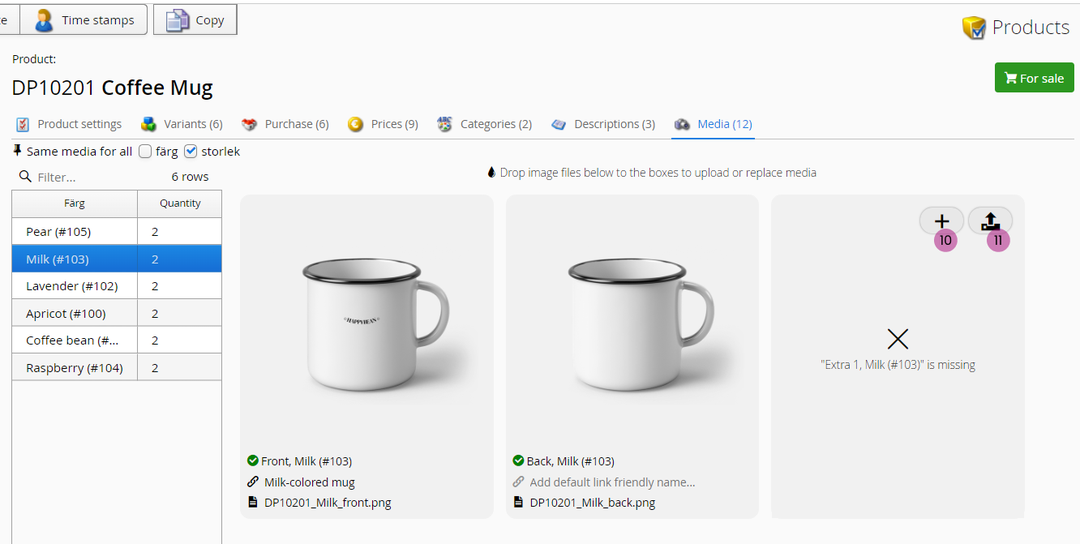
10. Add media
Add another media to current product.
11. Upload new media
Upload new media to this variant media slot.
Product videos?
If you want to add product-specific Youtube-videos on product detail page, read more here: https://support.viskan.com/cms/content/components/youtube-embed/
Still haven’t found what you’re looking for?
