

Help Centre
Introduction
As a security measure at Viskan we require that a certificate has to be sent with the requests to our API. We do this in order to validate the company that is making the request.
Our API is divided into one URL for our staging environment and one for our production environment. The URLs are the following.
Production: https://api.viskanetm.com
Staging: https://api.stage.viskanetm.com
Certificate
Both of our API environments require a certificate that we generate and send to you or your third party with a secure Bitwarden send link. They are valid for little over a year and we usually generate new ones during spring.
This means that well ahead of time before the current certificate expires, we send out a new one to the contact that we received when generating the first certificate.
Since we only generate certificates once a year, there is a possibility that you can receive two certificates within a short period of time. This all depends on when the first one was generated.
If the integration was configured during the early months of the year, we will still generate and send out a new certificate during spring. That means that you can still use the first certificate as long as it is valid, but we recommend changing to the new one so that you are on the same schedule as we are.
If you do not change to the new certificate the integration will stop working when the validity date has passed on the current one.
Postman
In the following part we will show you how to handle a client certificate and send a request using the application postman.
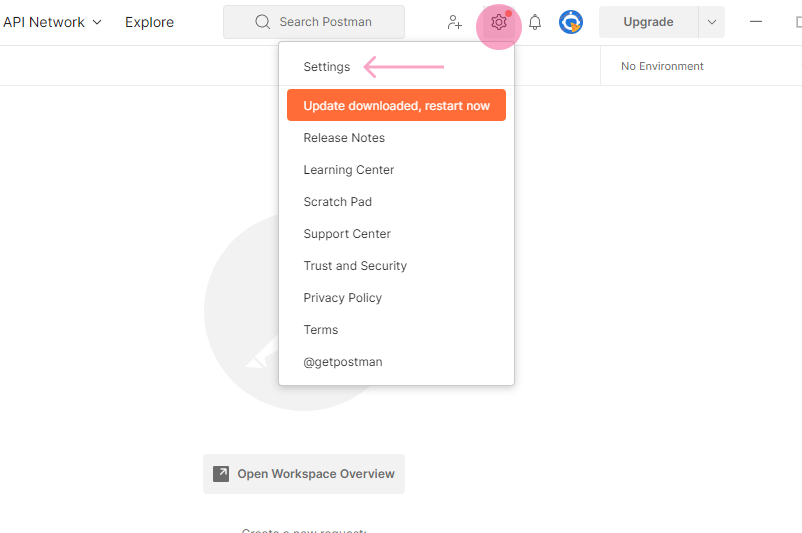
In order to add a certificate and key to a specific URL start by pressing the cogwheel and select Settings.
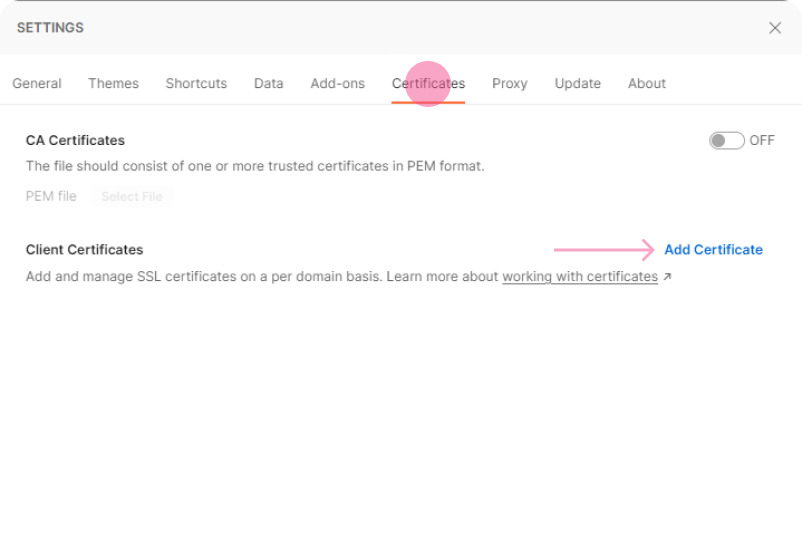
Click certificates and then Add Certificate
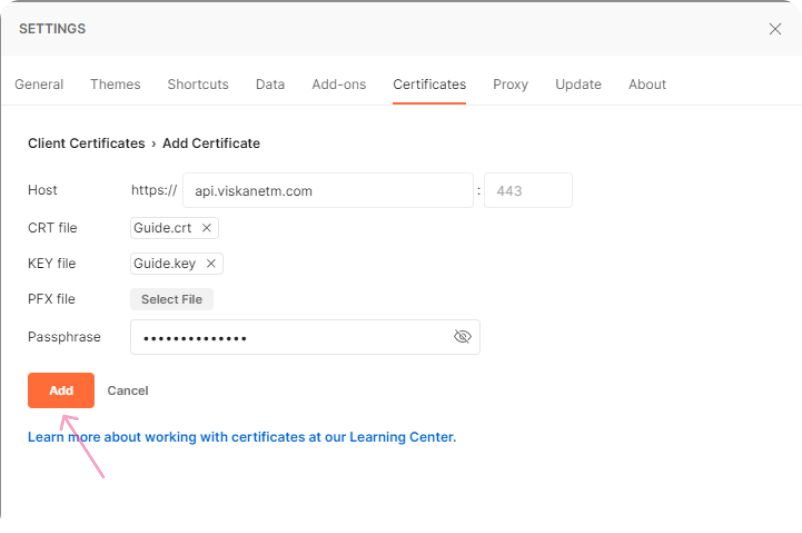
Enter the host that you want to use the certificate and key to. Afterwards you need to browse for the crt and key file and add the passphrase that you have gotten then press Add.
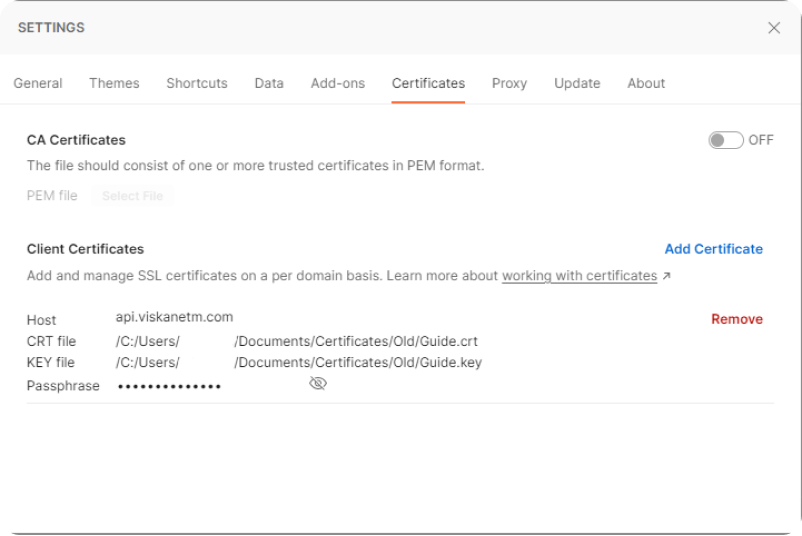
When it is added correctly it should look like the image below and this means that when you are sending requests to the host, the certificate and key is used.
Still haven’t found what you’re looking for?
