

Help Centre
Export customer data
As a part of GDPR all customers have the right to request a all customer data stored in your system for the given person.
To make this process as easy as possible we have created the report "10310 Customer Data" that contains all customer data stored in ETM.
To generate the report, start by pressing the printer icon in the top left menu:
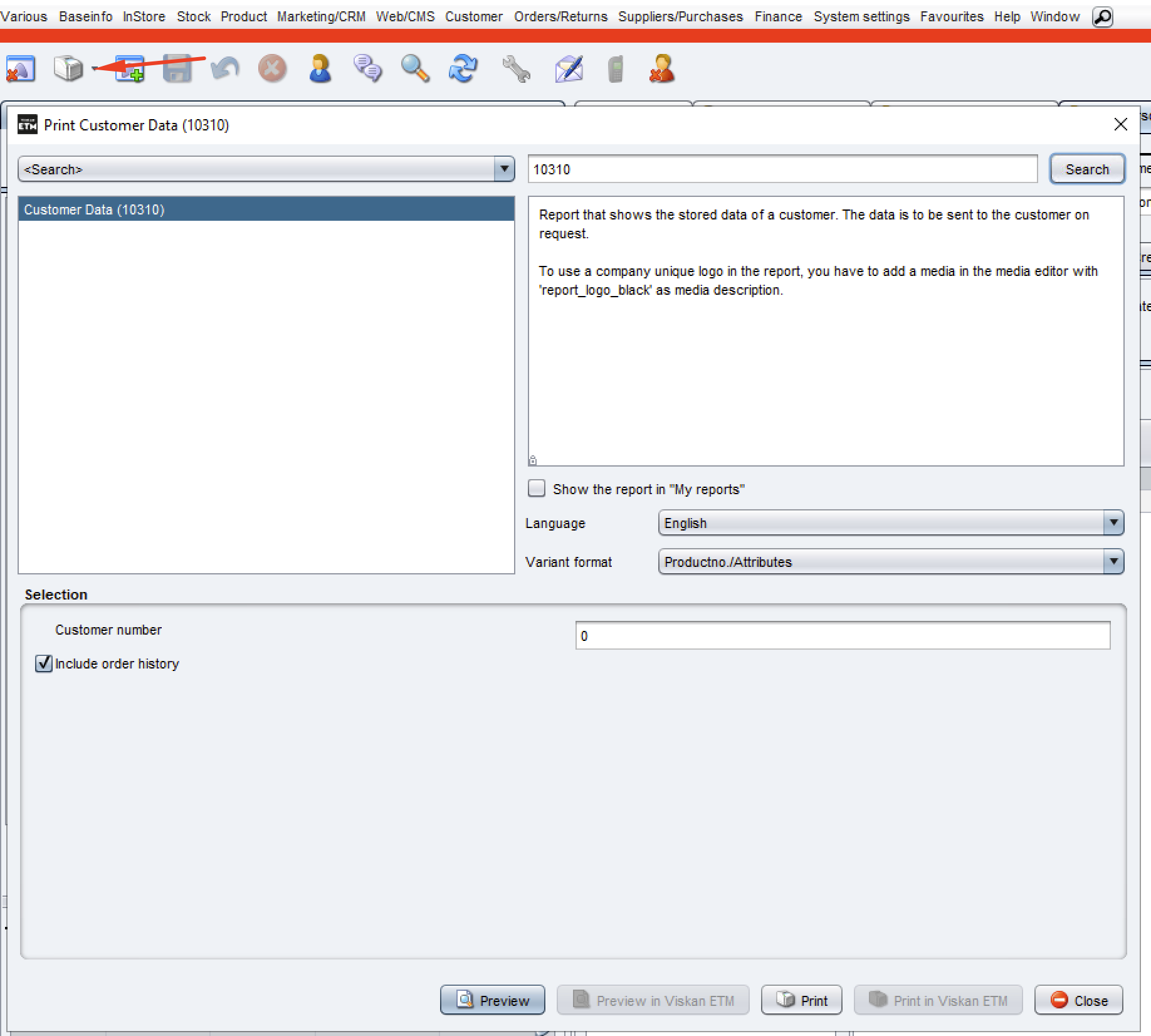
In the popup that appears you can search for the report by entering the name of the report or the report number (10310 Customer Data).
Once the correct report have been selected, you need to enter the customer number for the given customer. If you don't know the customer number, it can be found under the customer support view Customer > Customer support.
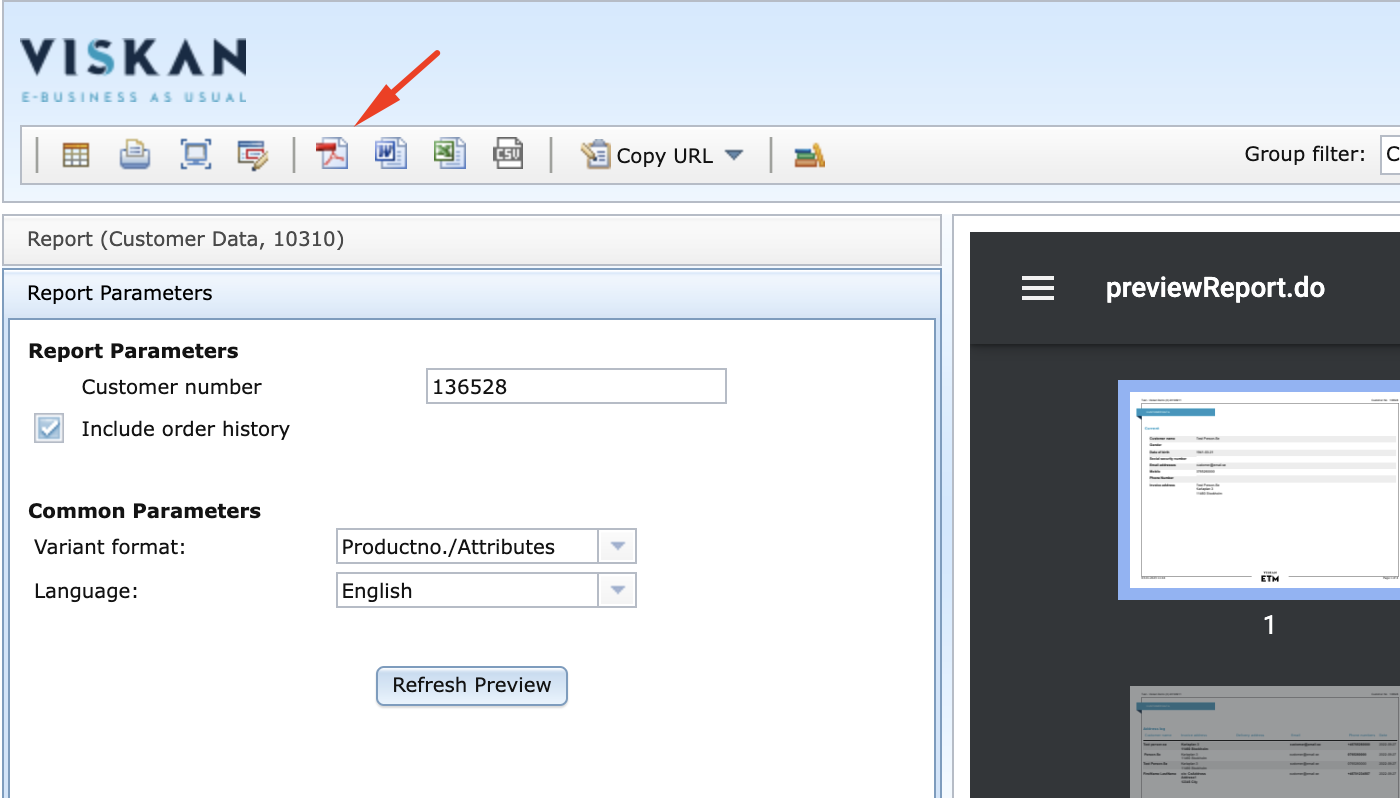
To preview the report, you press the button Preview in the bottom of the popup. This will open Viskan Report Server in your browser where you can go through the report and make sure that everything looks correct.
Yoy can then save the report as a PDF on your computer by pressing the pdf icon in the top left corner:
Still haven’t found what you’re looking for?
