

Help Centre
Menu
Anonymize customer
As a part of GDPR all customers have the right to request that all their customer data should be deleted. You are then required to delete all customer data stored in your system for the given customer.
To do this you start by opening the customer support view in ETM Customer > Customer Support.
Find the given customer by using the searchbar on the left side of the screen, and open it.
To anonymize all customer data you simply press the button Remove customer in the top left menu:
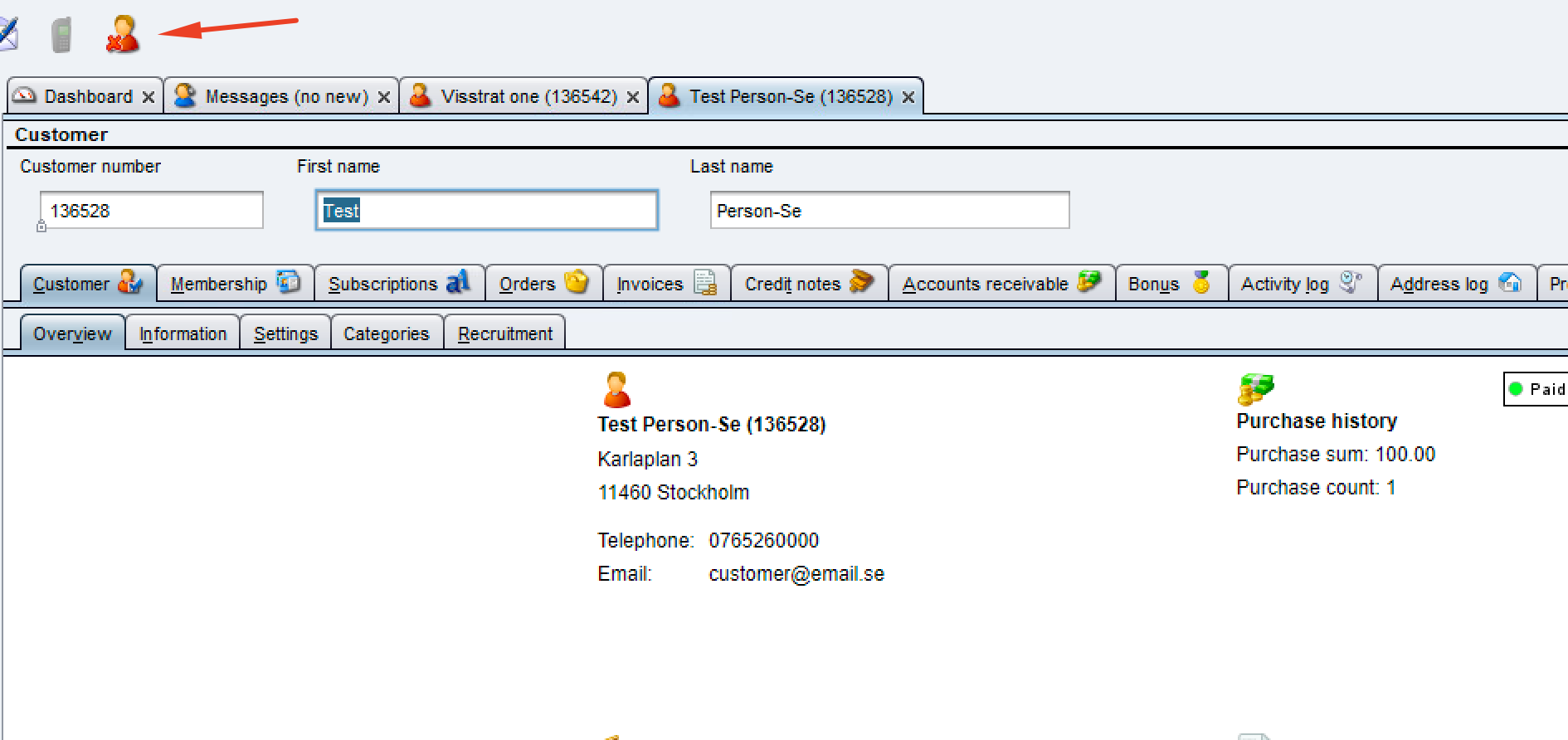
By doing this the customer wont be completely removed. This will only Anonymize any customer data. The reason for this is that you still need to maintain order history, if for example the customer wants to make a return in the future.
In that case the order can be identified via order number.
NOTE: To be able to anonymize a customer there cant be any uncompleted deliveries on the given customer.
If there are, you need to complete or cancel these deliveries before proceedings.
Still haven’t found what you’re looking for?
