

Help Centre
Create new form
Start by opening ETM and enter the view for Streamline Express: Marketing/CRM > Streamline express services.
Press the icon New in the top left corner.
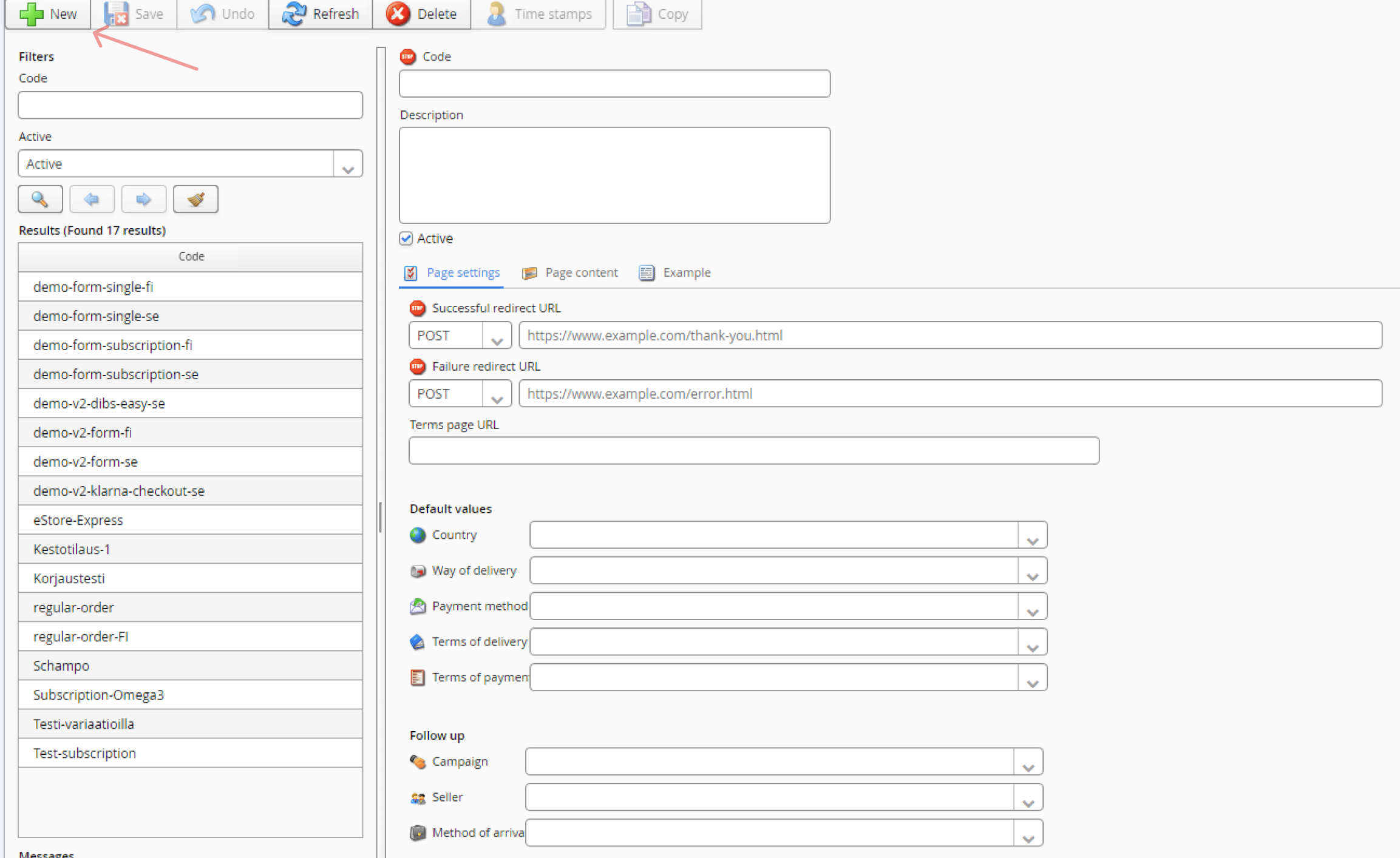
Settings
Code (Mandatory)
The name of the form, that will also be used as an identifier when calling the service externally.
Note! Because this field is used as an identifier when calling the service, this field can not contain special signs or blank spaces.
Successful redirect URL (Mandatory)
The URL that the customer will be sent to when an purchase is completed successfully.
Failure redirect URL (Mandatory)
The URL that the customer will be sent to if an error occurs when the order i placed.
Page content (Mandatory)
Under the tab Page content you choose what the order will contain.
You can either choose products or subscription.
Products
Choose the checkbox Products and then press the button Add.
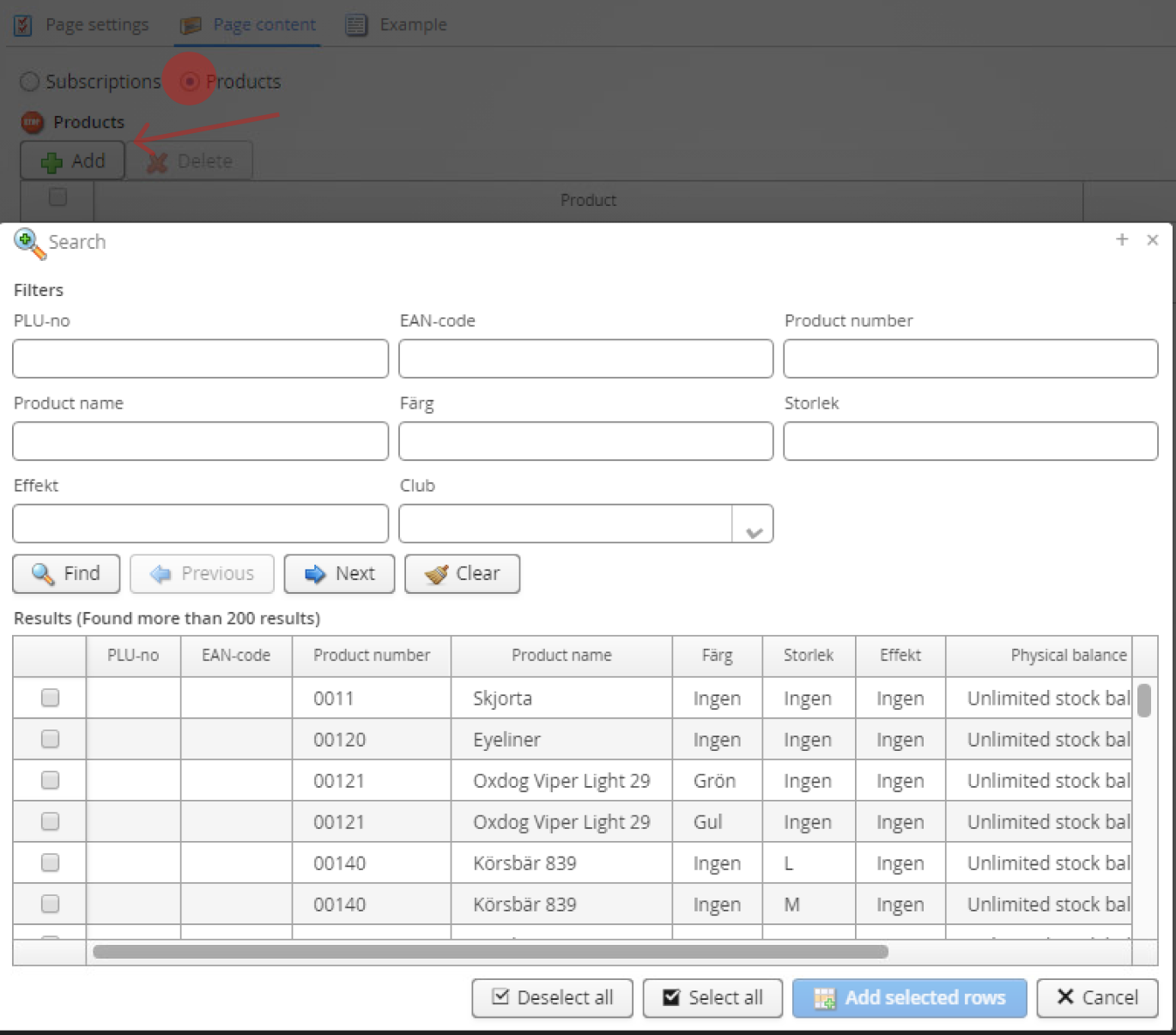
In the popup that appears you are able to search for products based on PLU or product name.
You highlight the products you want to add by pressing on then. You can also select several products at once by holding Ctrl.
Once your product are selected, press the button Add selected products to add them.
Subscription
Choose the checbox subscriptions and then press the search icon next to the field Search subscription.
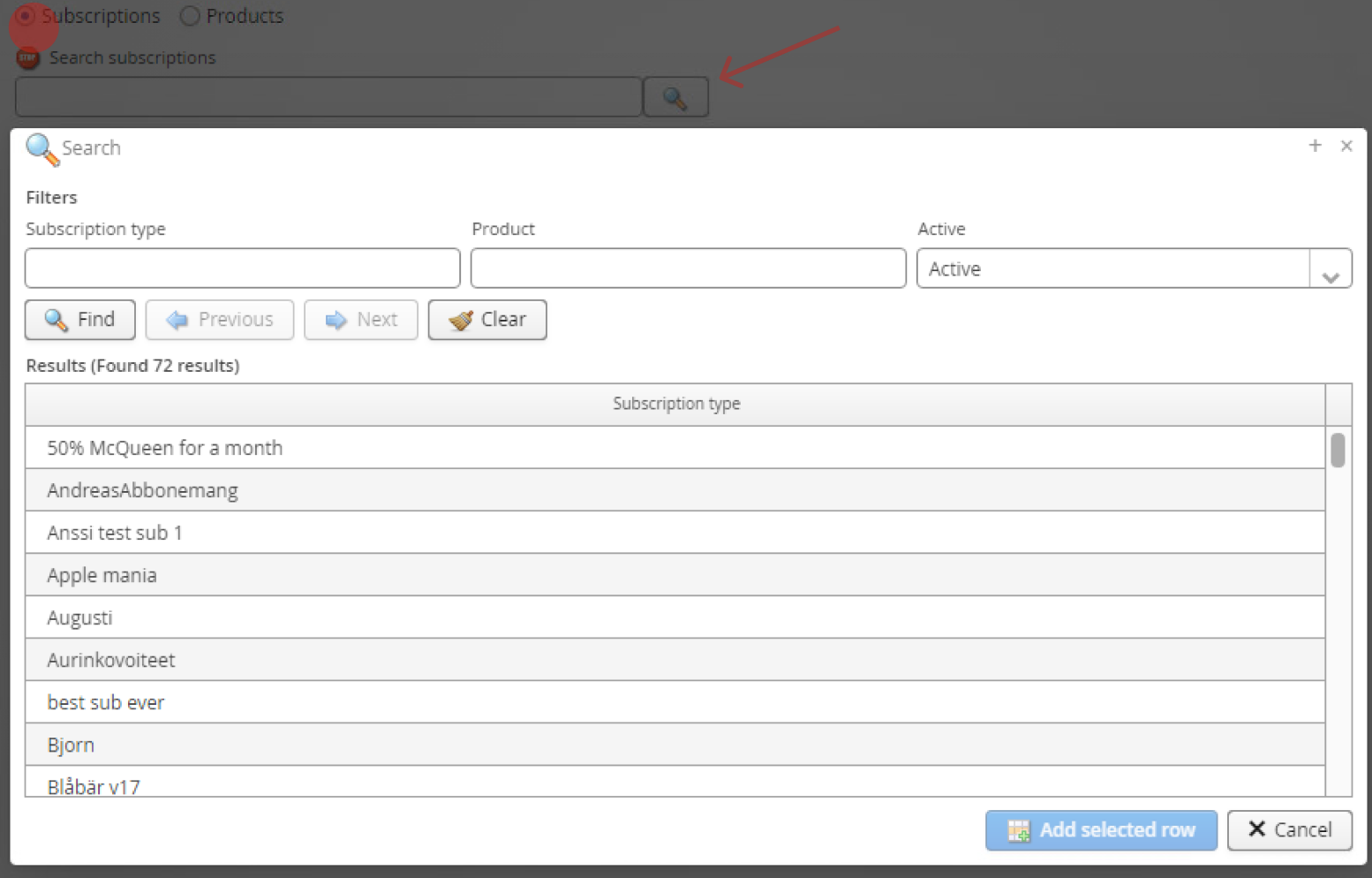
In the popup that appears you are able to search for subscription templates based on Subscription type or product name of the products in the subscription.
You highlight the subscription you want to add by pressing on it. Once your subscription is selected, press the button Add selected row to add it.
Terms page URL
Eventual page for terms and conditions that can be linked in the checkout form.
Country
A default country that will be set on the customer if nothing else is specified in the call.
Way of delivery
A default delivery method that will be set on the order if nothing else is specified in the call.
Payment method
A default payment method that will be set on the order if nothing else is specified in the call.
Terms of delivery
A default delivery terms (for example free shopping) that will be set on the order if nothing else is specified in the call.
Terms of payment
A default payment terms that will be set on the order if nothing else is specified in the call.
Campaign
Eventual campaign that will be set on the order. To be used for follow-up.
Seller
Eventual seller that will be set on the order. To be used for follow-up.
Method of arrival
Eventual method of arrival that will be set on the order. To be used for follow-up.
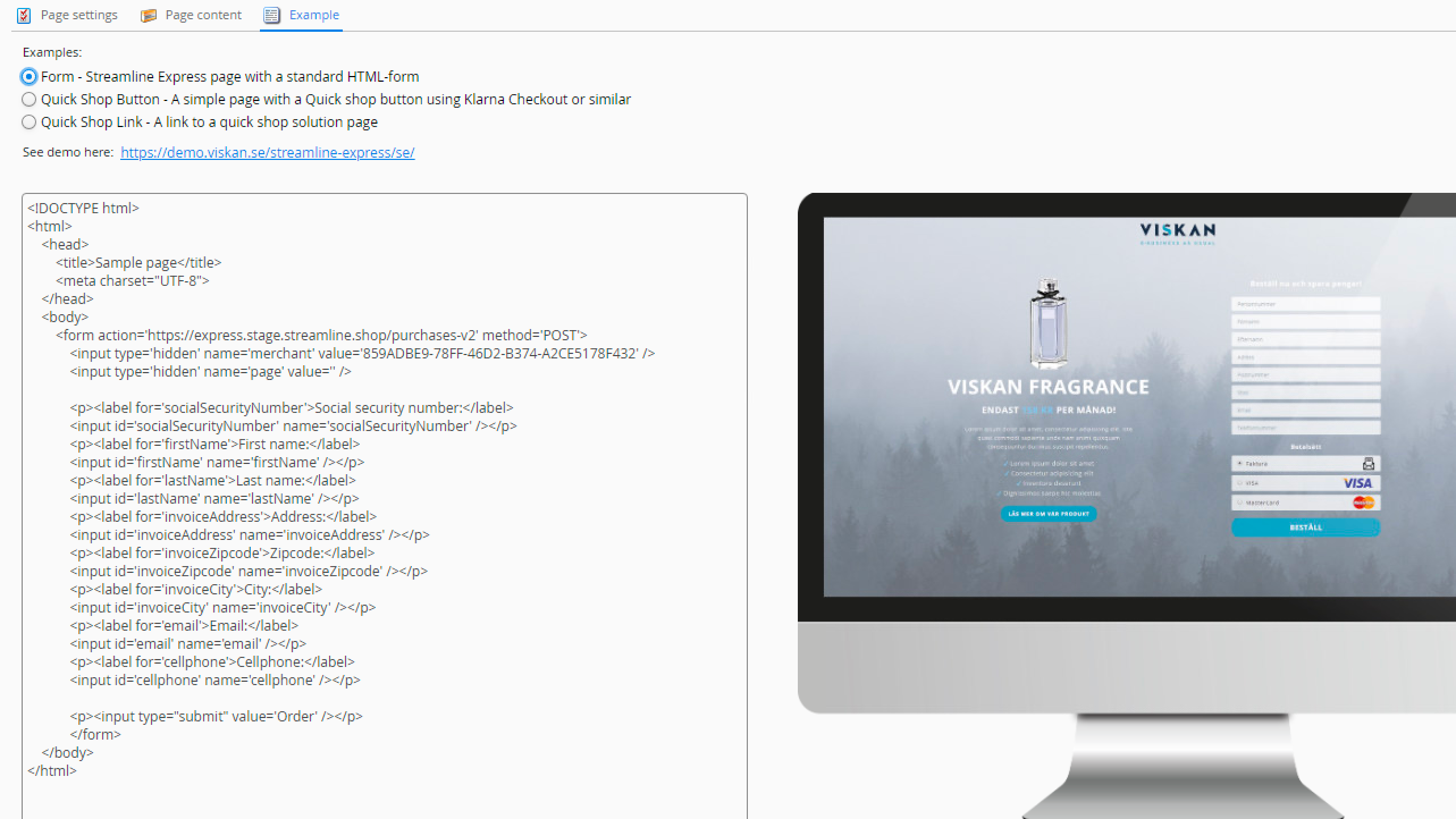
Extract code
Under the tab Example you will find code for three different ways of implementation, as well as examples for each case.
Still haven’t found what you’re looking for?
