

Help Centre
Modify visibility conditions
How to modify visibility conditions for Containers
Step 1
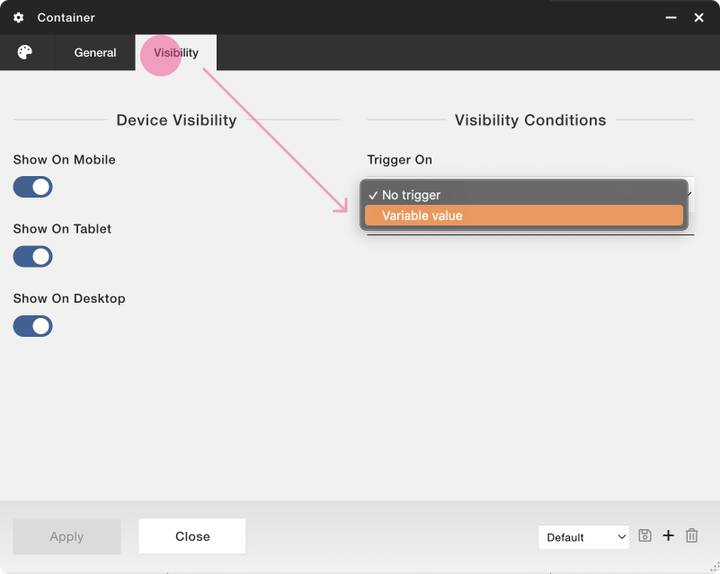
In the settings for the container, go to the “Visibility” tab and change the trigger option to “Variable value”.
Step 2
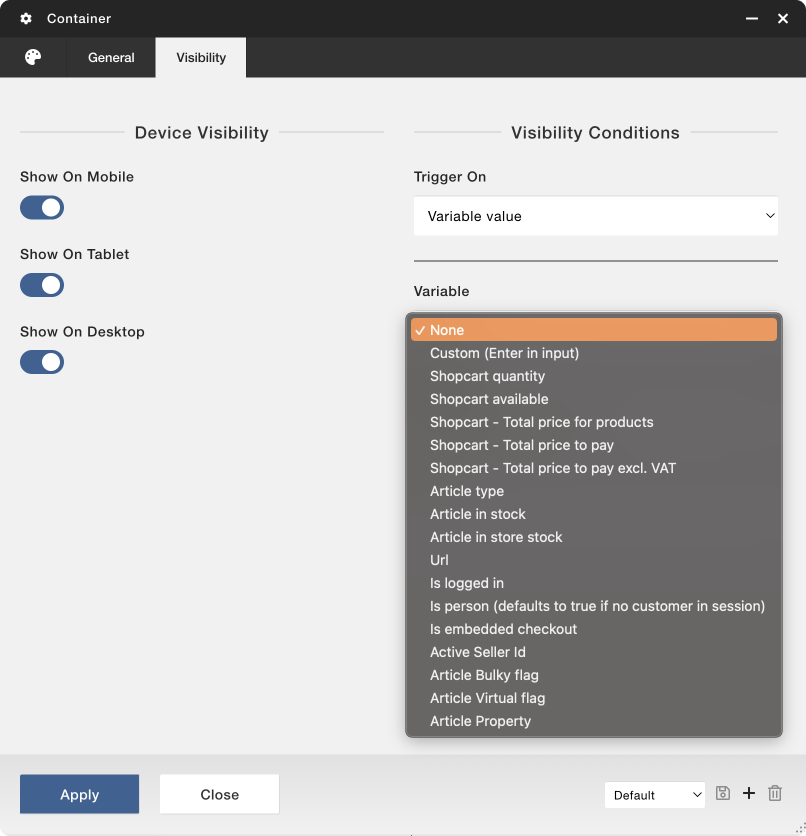
Choose the variable you want to check in order to decide if the container should be visible or not. For some of these options you might need Viskan’s help since all operators might not work with the selected option, and the values might not be accessible to you in the CMS. Options “Custom”, “Article type” and “Active Seller Id” are examples of such options.
Step 3
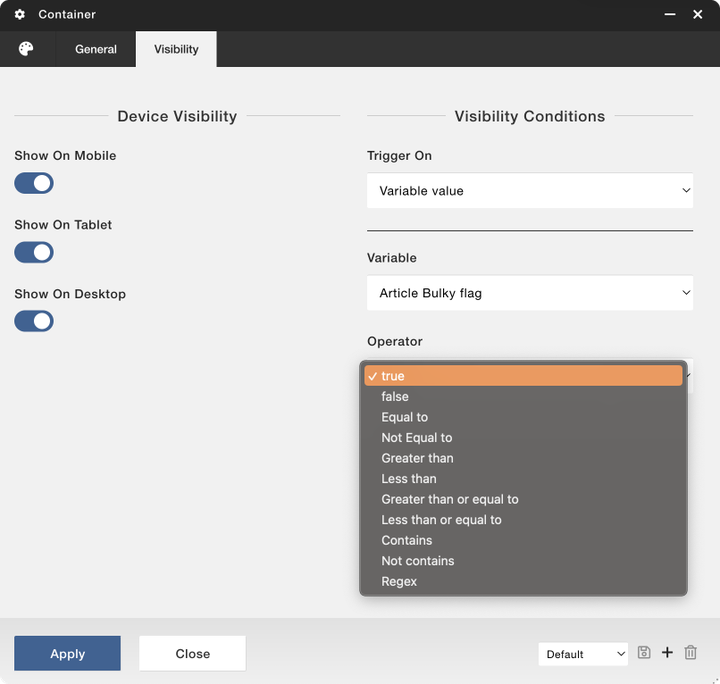
Choose the operator. Some variables only work with “true” and “false” and other variables work with other operators. In the example below, the variable works with “true” and “false” since the variable “Article Bulky flag” can be either true or false, nothing else.
Using the variable “Article Bulky flag” you can for instance show a message about certain shipping terms or other information relevant to products with the bulky flag set to true.
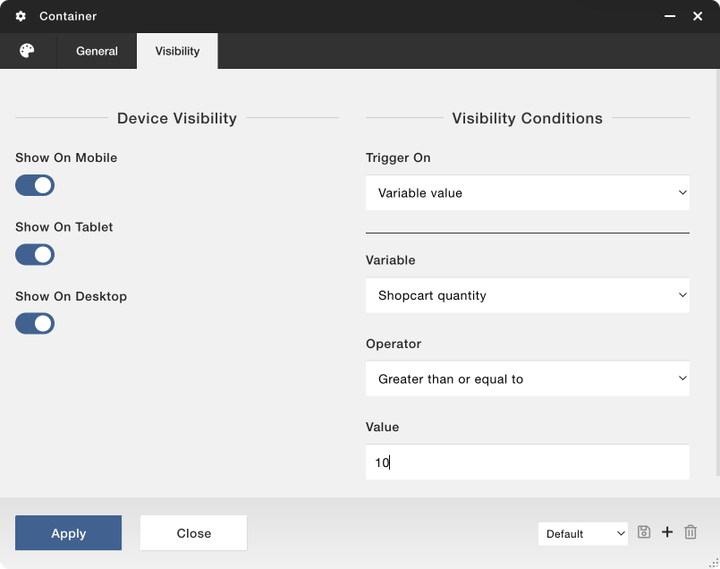
Other variables work with other operators. “Shopcart quantity” works with a numeric value. You can check the total quantity of products in the current shopcart and let that quantity decide the visibility for the container. In the example below the container will be visible if the total quantity of products in the shopcart is 10 or higher.
When you are happy with your choices, apply and save.
Still haven’t found what you’re looking for?
